Most of my planning starts as a mess. A couple of half-formed ideas, one thing I can't forget, and something else I'll have forgotten by lunch. The ideas usually end up in one place and the to-do list in another, and by the second day they've lost track of each other.
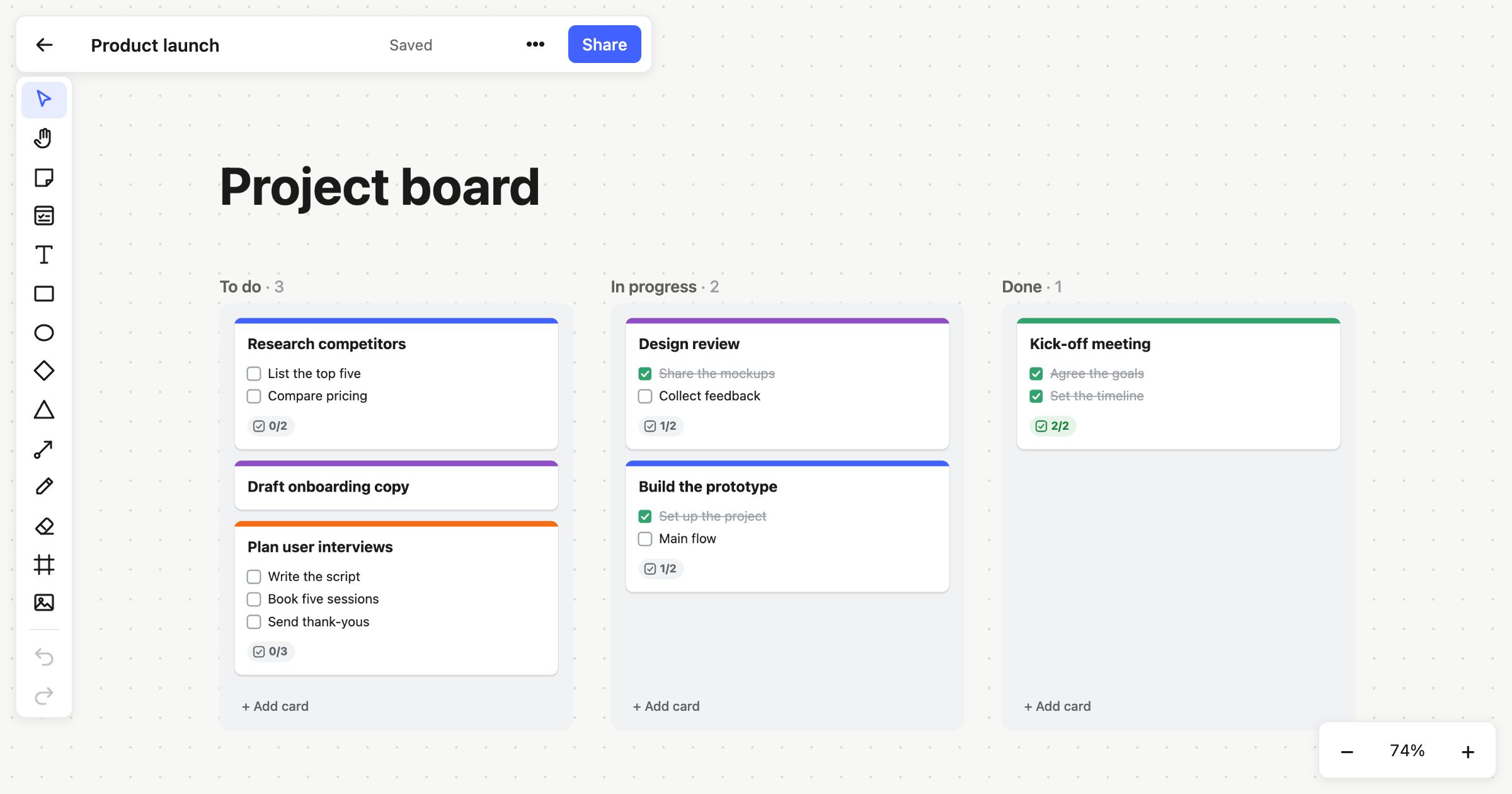
Atomic Lab lets the mess and the list sit on the same board. This post goes through the short flow from the reel step by step: open a board, put a few ideas on sticky notes, then turn them into a card with tasks you can tick off.
Starting a board
Go to atomiclab.co.uk and open a blank board. You don't need an account for this. On the free plan the board saves locally, so you can start right away.
[Screenshot: the empty board as it first appears]
[Author note: add the exact click path here, i.e. what you press to get from the homepage to a new board.]
What you get is an empty canvas. It's infinite, so you never have to think about running out of room or where the edge is. That matters more than it sounds. If I think I'm about to run out of space, I start tidying before I've finished thinking.
Getting ideas down with sticky notes
Drop a sticky note anywhere on the board and type straight onto it. There's no dialog box and no separate text field. The note is the text field.
Then grab another one and put it next to the first, and write your second idea on that.
[Screenshot: two sticky notes side by side]
[Author note: swap in the real notes from your example board. Something like a small project you were actually planning works best, so readers can see a real before and after.]
Two habits make this stage work for me:
- One idea per note. If a note needs a second sentence, it's probably two notes. Small notes are easier to move around and group later.
- Don't arrange yet. Get everything out first. You can drag notes into clusters once you can see them all.
Sticky notes are good for this because nobody's precious about them. They're cheap, they're quick, and it's fine for half of them to turn out to be wrong.
Turning ideas into a card with tasks
At some point the notes stop being "things I might do" and start being "things I'm doing". That's when a card is useful.
Add a card next to your notes and give it a title. Then add tasks to it one at a time. The first task goes in, then the next, and you keep going until the list matches what's on the notes.
[Screenshot: the card with its title and the first task]
[Screenshot: the card with the full checklist, next to the original notes]
[Author note: add the exact steps for adding a checklist item, and anything worth knowing about ticking items off or reordering them.]
The part I like is that the sticky notes don't go anywhere. The card sits right beside the ideas it came from. When I come back to the board later and wonder why a task is on the list, the reason is a few centimetres away.
Why keep it all on one board
I used to do the thinking on a whiteboard (or a scrap of paper) and then copy the result into a to-do app. Every time, something got lost in the copy. Usually it was the context: the note that explained why a task mattered, or the idea I'd parked for later.
Keeping the notes and the card on the same canvas fixes that for me. The board holds the rough thinking and the plan that came out of it, and you can still see how one led to the other.
It also makes the board easy to share. If you're planning with other people, they see the same ideas you saw before you decided what to do, not just a list with no explanation.
Try it
Everything above works on the free plan: make boards and save them locally, no account needed. If you want to plan with a team, the Team plan is $6 per member per month, or $60 per member a year, and there's a 14-day trial.
Open a blank board at atomiclab.co.uk, put down two sticky notes and a card, and see if it suits how you plan.